

Requests & Approvals
MiningOS implements a role-based authorization system to ensure safe operation of critical mining infrastructure. This page explains how actions are submitted, approved, and executed.
For user role definitions and permissions, see User Management. For system architecture and how actions are processed through the orchestrator, see Architecture Guide.
Authorization Levels
MiningOS uses two authorization levels depending on the risk and impact of each action:
| Authorization | Actions | Approvers |
|---|---|---|
| Single | Most device operations (power on/off, set mode) | Any user with Action permissions |
| Double | Reboot MiningOS | Admins or Site Managers |
Double authorization protects against accidental system-wide disruptions. The Reboot MiningOS action restarts all device communication workers. See Settings for reboot procedure details. For details on worker architecture, see Architecture — Workers.
Submitting Actions
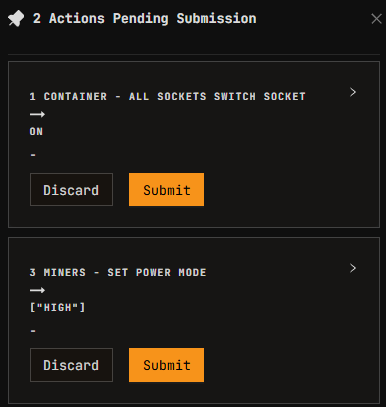
When Users with Action permissions order an action, the action is listed in the Actions Chart in the Header as Pending Submission (gray icon). Users can add multiple actions to the Pending Submission menu before submitting them as a batch.

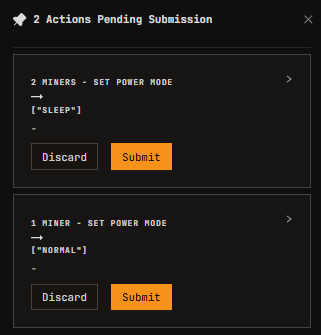
Action Details Sidebar
Clicking on a Pending Request opens a sidebar with details, including (when applicable) the variation of energy consumption that the action will trigger. Power consumption changes are reflected in the Header metrics after execution.
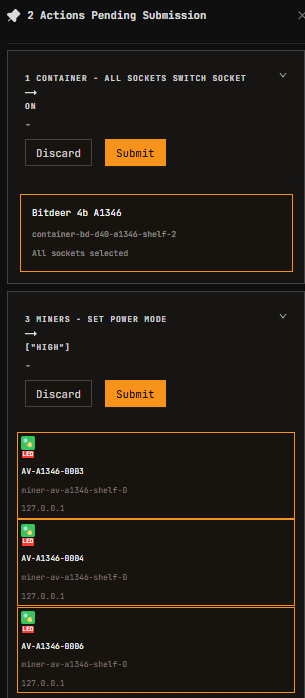
Some actions represent a batch of operations, which can be collapsed in the sidebar. Users can then Discard or Submit them. Discarding an action prompts a confirmation to cancel the request.
| Normal sidebar | Collapsed sidebar | Submitted action | Authorized action |
|---|---|---|---|
 |  |  |  |
Double Authorization Workflow
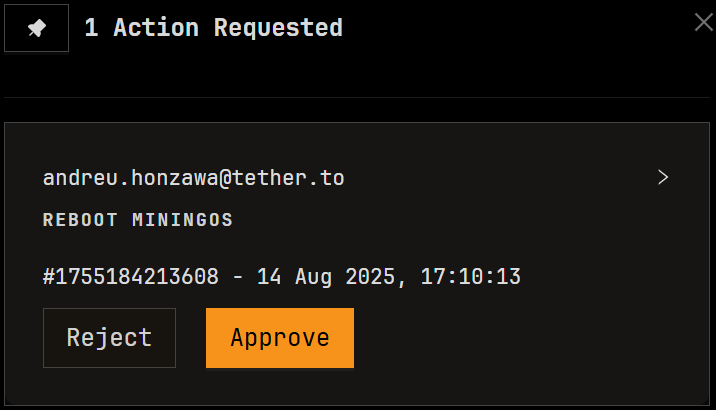
For double authorization actions (such as Reboot MiningOS):
- Submit: User submits the action request
- Pending: Action appears in the red icon menu in the Header
- Review: Authorized user (Admin or Site Manager) reviews the request
- Approve/Reject: Authorized user approves or cancels the action
- Execute: Upon approval, the system executes the action
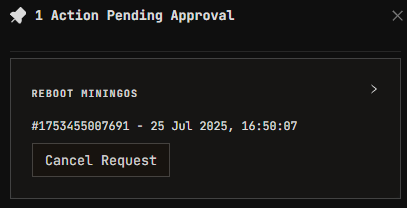
When submitted, the action can be canceled before it is approved by an authorized user. When the action is authorized, the chart shows details of the confirmation.
Once submitted, users with Authorization permissions (Admins and Site Managers) see a dropdown in their Header with all actions pending approval. Clicking on one opens a sidebar showing the details.
Multiple-Request Overriding
When a user (or another user) submits an action that conflicts with an already-pending action, the latter request overrides the former.
Example:
| Request | Original Scope | After Override |
|---|---|---|
| 1st Request | Turn on miners A, B, C, D | Turn on miners A, B, C |
| 2nd Request | Turn on miners D, E, F | Turn on miners D, E, F |
Miner D has a multiple request. The latter request (2nd) takes precedence, so miner D is removed from Request 1 and included only in Request 2.
This behavior prevents conflicting commands from being executed on the same device.
Actions That Generate Requests
The following operations throughout MiningOS generate action requests:
| Module | Operations | Documentation |
|---|---|---|
| Explorer | Power on/off, Set power mode, Setup pools | Explorer |
| Container PDU | Socket enable/disable, Batch power operations | Bitdeer Container |
| O&M | Register miner, Change position, Maintenance | Adding & Updating Miners |
| Settings | Reboot MiningOS (double auth) | Settings |
| Pool Manager | Setup pools for miners | Pool Manager |