

Historical Device Movements
Audit trail of all location and status changes across the fleet for logistics and chain-of-custody tracking.
The Historical Device Movements sub-page tracks all location and status changes across the fleet. This comprehensive audit trail enables logistics analysis, chain-of-custody verification, and troubleshooting of inventory discrepancies.
For operational guidance on auditing unknown locations, see Operational Best Practices.
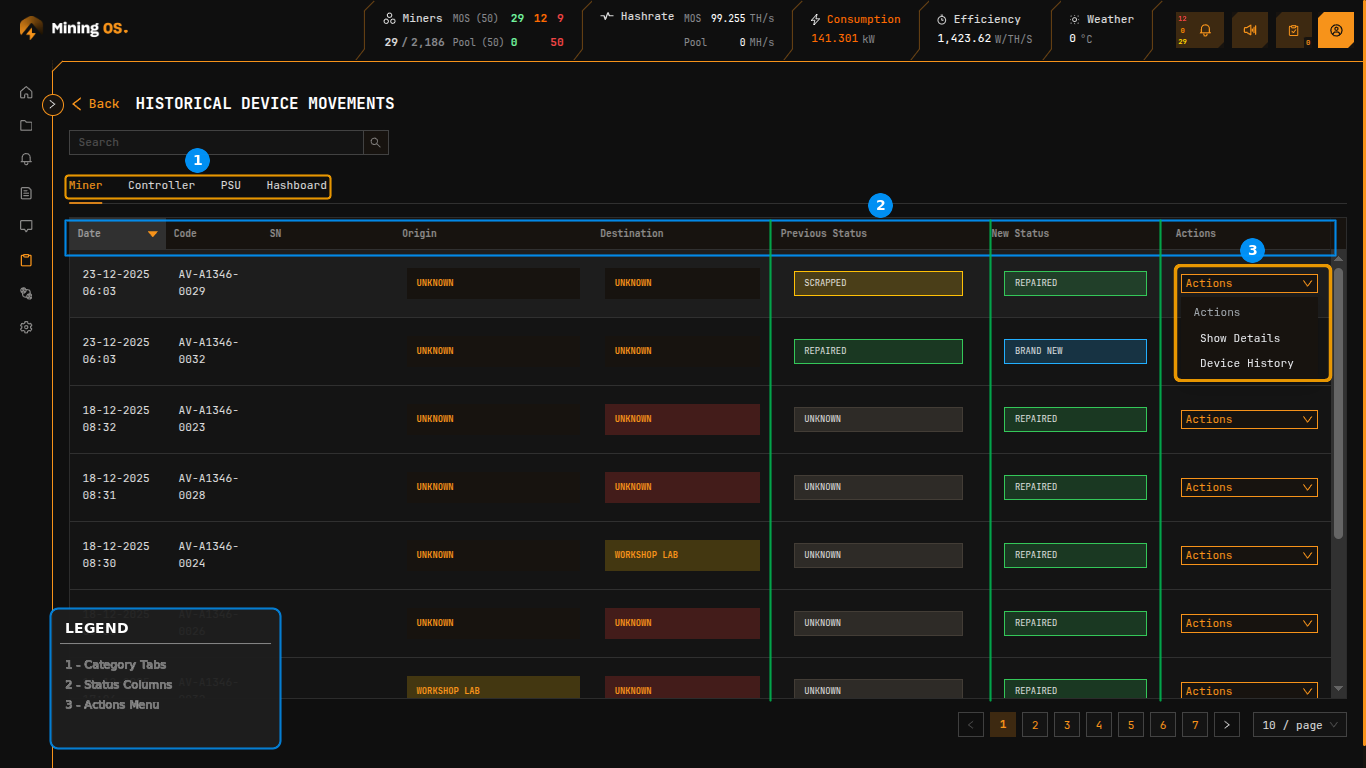 Figure 19: Historical Device Movements showing location and status transitions with Actions menu
Category Tabs
The page header features four category tabs for filtering movement records by equipment type.
| Tab | Equipment Type | Related Inventory |
|---|---|---|
| Miner | Complete mining units | Miners Inventory |
| Controller | Control boards | Spare Parts Inventory |
| PSU | Power supply units | Spare Parts Inventory |
| Hashboard | ASIC mining boards | Spare Parts Inventory |
Movements Table
The table displays movement records with comprehensive before/after tracking.
| Column | Description |
|---|---|
| Date | Timestamp of the movement or status change |
| Code | Device identifier |
| SN | Serial number |
| Origin | Previous location (color-coded) |
| Destination | New location (color-coded) |
| Previous Status | Status before change (color-coded) |
| New Status | Status after change (color-coded) |
| Actions | Context menu for additional operations |
Color Coding
Location and status values use consistent color coding for rapid visual scanning. This matches the color scheme used in Current Site Overview.
| Color | Location Examples | Status Examples |
|---|---|---|
| Orange | UNKNOWN | SCRAPPED, UNKNOWN |
| Yellow | WORKSHOP LAB | — |
| Green | SITE CONTAINER | BRAND NEW, REPAIRED |
| Gray | — | Unknown (neutral) |
Actions Menu
The Actions dropdown provides contextual operations for each movement record.
| Action | Function | Use Case |
|---|---|---|
| Show Details | Open detailed comparison view of the change | Audit specific transition |
| Device History | View complete movement history for this device | Full device audit |
Movement Detail Dialog
Selecting Show Details opens a modal displaying the complete before/after comparison for a movement event.
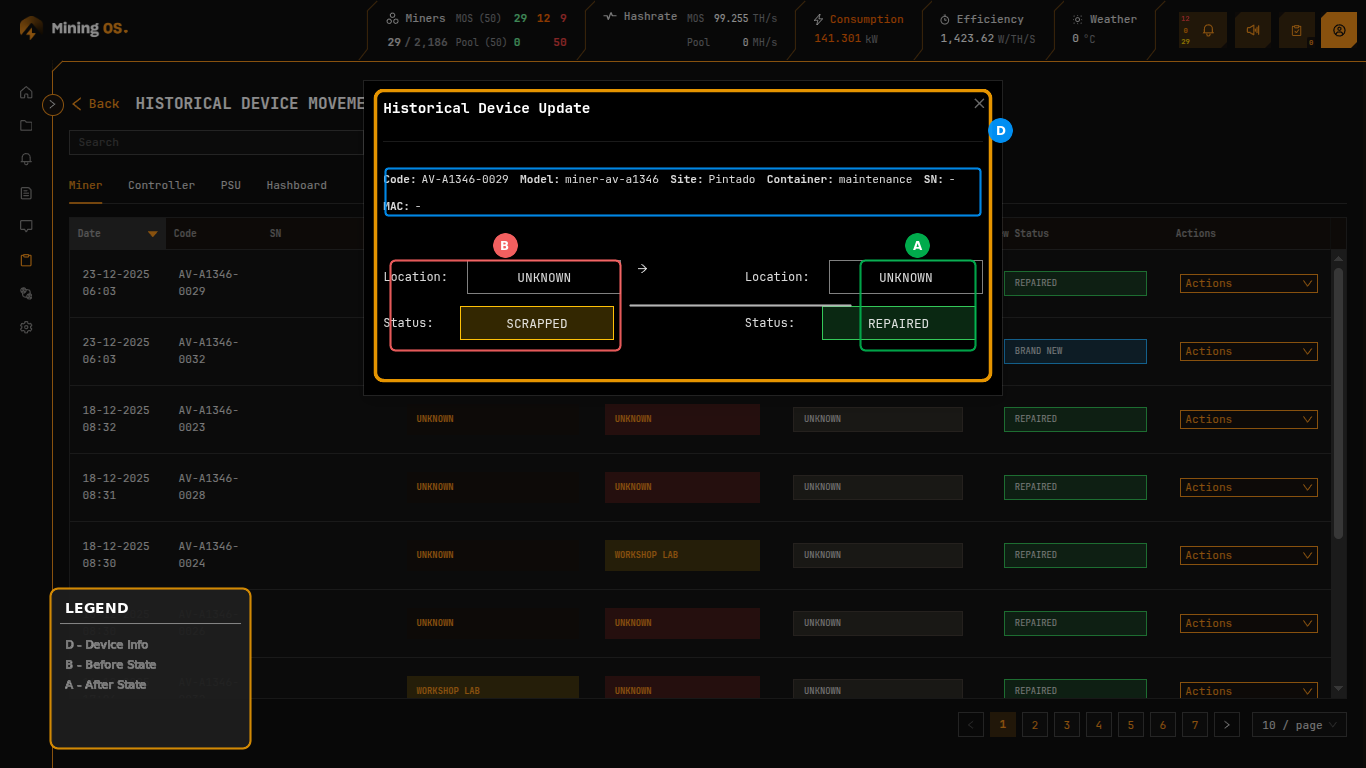 Figure 20: Historical Device Update dialog showing location and status transition
The dialog header displays device identification information:
| Field | Description |
|---|---|
| Code | Device identifier |
| Model | Hardware model |
| Site | Associated site |
| Container | Container assignment (if applicable) |
| SN | Serial number |
| MAC | MAC address (if applicable) |
The comparison view presents origin and destination states side-by-side with an arrow indicating the direction of change. Both Location and Status values are shown with their respective color coding.
Correlation with Repair History
Movement records complement Repair History data:
| Movement Pattern | Check Repair History For |
|---|---|
| Device moves to WORKSHOP LAB | Associated part changes |
| Device returns to SITE CONTAINER with REPAIRED status | What was fixed |
| Multiple moves in short period | Recurring issues |
| Status changes to FAULTY | Repair was initiated |