

Dashboard
Primary monitoring interface displaying real-time hashrate, power consumption, incidents, and pool status.
The Dashboard is the primary monitoring interface in MiningOS, providing real-time visibility into your Bitcoin mining operation's performance. It displays key metrics including hashrate, power consumption, active incidents, and mining pool status in a unified view.
For header bar metrics and alert indicators, see the Header documentation. For an overview of how this data is collected and aggregated, see Architecture — Data Flow.
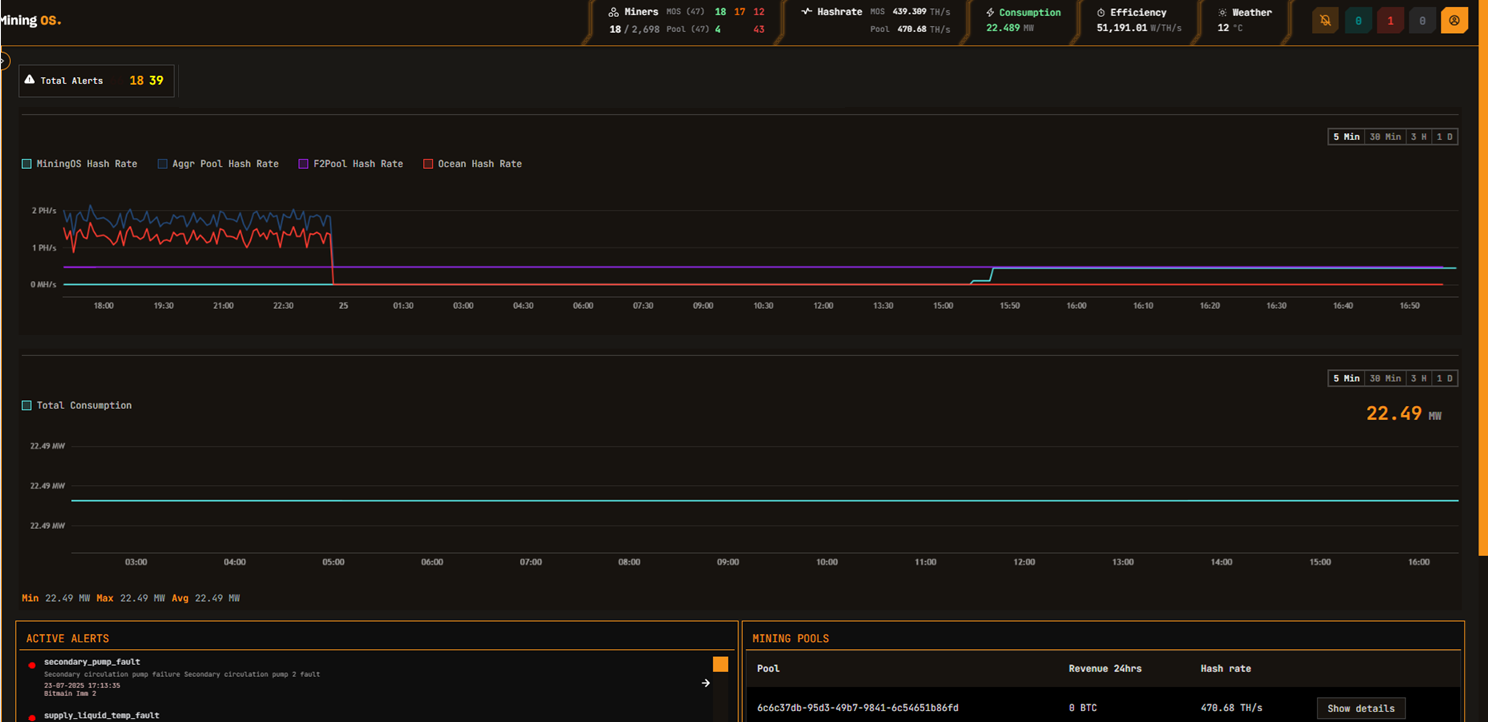
For comparison, the Hash rate line chart shows both MiningOS and pool data. In case of discrepancy, refresh the page to confirm the discrepancy. For detailed pool configuration, see the Pool Manager Module.
In the MVP, the power consumption chart is updated every 5 seconds, but it can take up to 5 minutes to get updated on the UI. For real-time container-level power monitoring, see the Widgets Page.
Dashboard Controls
| Element | Description |
|---|---|
 | Quick toggle for the timeline. Select time ranges to view historical data. |
 | In GRAY: Your Actions pending submission. In RED: Your Actions submitted and pending approval. In BLUE: Actions submitted by others that you can approve or reject. See Requests & Approvals for the full authorization workflow. |
 | Power consumption as per interval selected. Thresholds are configured per site based on power purchase agreements. See Header for threshold color coding. |
Active Incidents Card
The Active Incidents card displays real-time alerts requiring operator attention. Alerts are color-coded by severity and ordered by priority.
| Color | Severity | Action Required |
|---|---|---|
| Red | HIGH | Immediate attention required |
| Orange | MEDIUM | Investigation recommended |
| Green | LOW | Monitor and review |
On click, the user will navigate to the specific device in the Explorer.
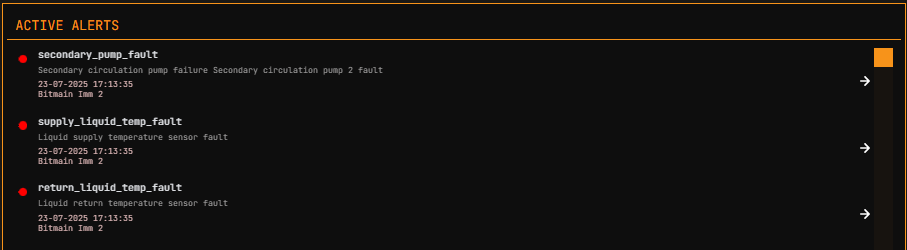
For complete alert reference including alert codes and troubleshooting, see the Alerts Manual.
Mining Pools Card
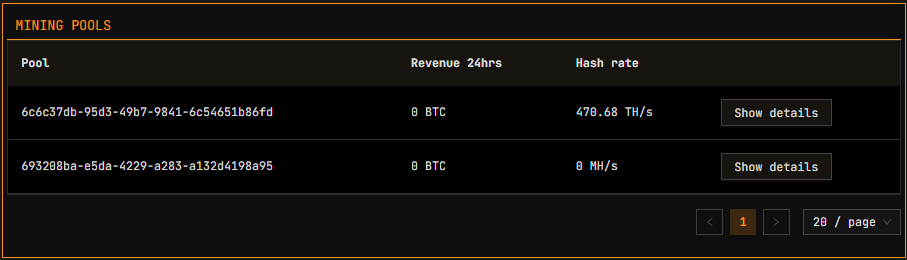
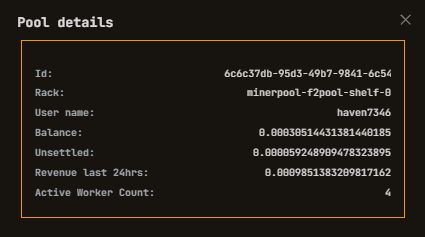
The Mining Pools card shows the status of configured mining pool connections and hashrate distribution.
| Mining Pools Card | Mining Pools Details |
|---|---|
 |  |
Pool Architecture
Each miner maintains an individual pool connection to record hashrate. MiningOS reads aggregated data from the pool via a single connection for all miners linked to a given pool account. For details on how this data flows through the system, see Architecture — Data Flow.
MiningOS configures 3 pools for each miner:
| Priority | Purpose |
|---|---|
| Primary | Preferred mining pool for normal operation |
| Failover 1 | First backup if primary is unreachable |
| Failover 2 | Second backup for additional redundancy |
Miners automatically switch pools if the previous one cannot be connected. Failover pools can belong to different pool providers. MiningOS currently supports:
| Pool Provider | Documentation |
|---|---|
| Ocean Pool | Transparent, non-custodial Bitcoin mining pool |
| F2Pool | Multi-cryptocurrency mining pool |
For pool endpoint configuration and assignment, see the Pool Manager Module. For pool worker setup, see Installation Guide.
Pool Health Monitoring
MiningOS performs daily background checks on miner pool settings and generates alerts for any deviations from the configured pools.
| Alert Code | Description | Severity |
|---|---|---|
wrong_miner_pool | Miner connected to incorrect pool | Medium |
wrong_miner_subaccount | Miner using wrong subaccount | Medium |
wrong_worker_name | Worker name does not match MiningOS ID | Medium |
ip_worker_name | Worker name contains IP instead of ID | Low |
These alerts can be filtered in the Alerts page. For container-specific pool setup procedures, see Container Example: Bitdeer.
Always configure pools through MiningOS rather than vendor tools. Configuring pools outside MiningOS will cause worker name mismatches and trigger alerts.