

Container Example 2: Antspace Hydro
Manage Bitmain Antspace HK3 and Immersion containers for hydro-cooled and immersion-cooled mining deployments.
The Bitmain Antspace series includes hydro-cooled and immersion-cooled containers designed for high-density Bitcoin mining deployments. This guide covers the MiningOS interface for managing Antspace HK3 and Immersion containers.
Manufacturer: Bitmain Technologies
Support Portal: Bitmain Antspace Support
Specifications: HK3 V6 Specifications | HW5 Specifications
For complete Antspace specifications, see Supported Devices — Bitmain Antspace.
Home
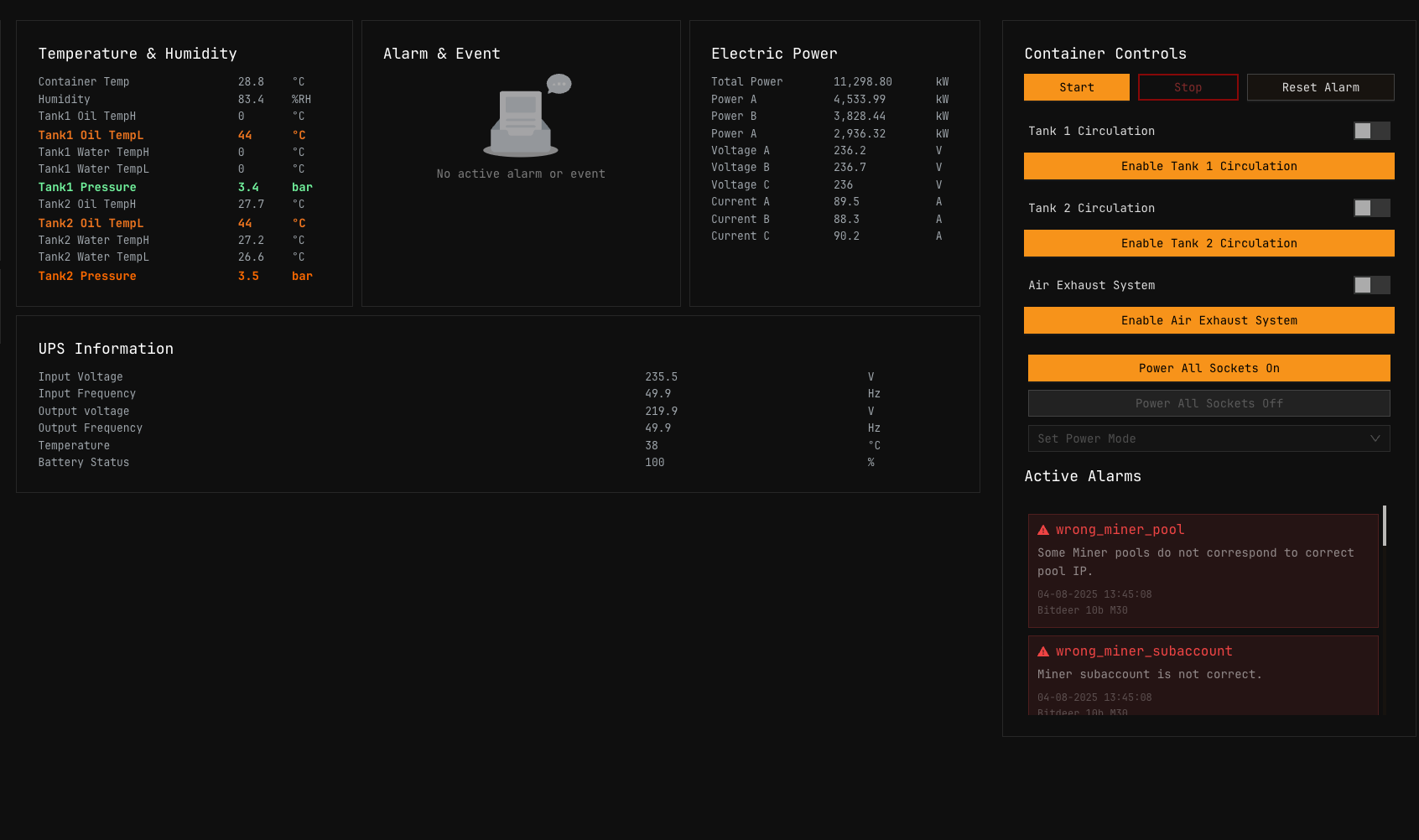 Figure 1: Antspace Hydro container home page showing cooling system status and pressure curves
The Antspace Home page displays real-time cooling system metrics and historical trend data essential for maintaining optimal mining conditions. For an overview of how this data flows through the system, see Architecture — Data Flow.
Monitoring Curves
Changes in pressure curves, flow curves, and temperature curves are recorded continuously. These historical records are critical when failures occur—operators can review the data to quickly locate failure points based on the circumstances leading up to the event.
For visual temperature monitoring across all miners, see the Heatmaps documentation.
Return Pressure Monitoring
Check whether the Return pressure is low and replenish liquid promptly when needed.
| Metric | Minimum Value | Action Required |
|---|---|---|
| Return pressure | > 0.05 MPa | If below threshold, replenish liquid immediately |
Monitor the return pressure value on the main interface touch screen or the physical pressure gauge. Pressure below 0.05 MPa indicates insufficient coolant and requires immediate attention.
For pressure-related alerts and thresholds, see Alerts Manual — Visual Alerts per Container Type.
PDU Layout
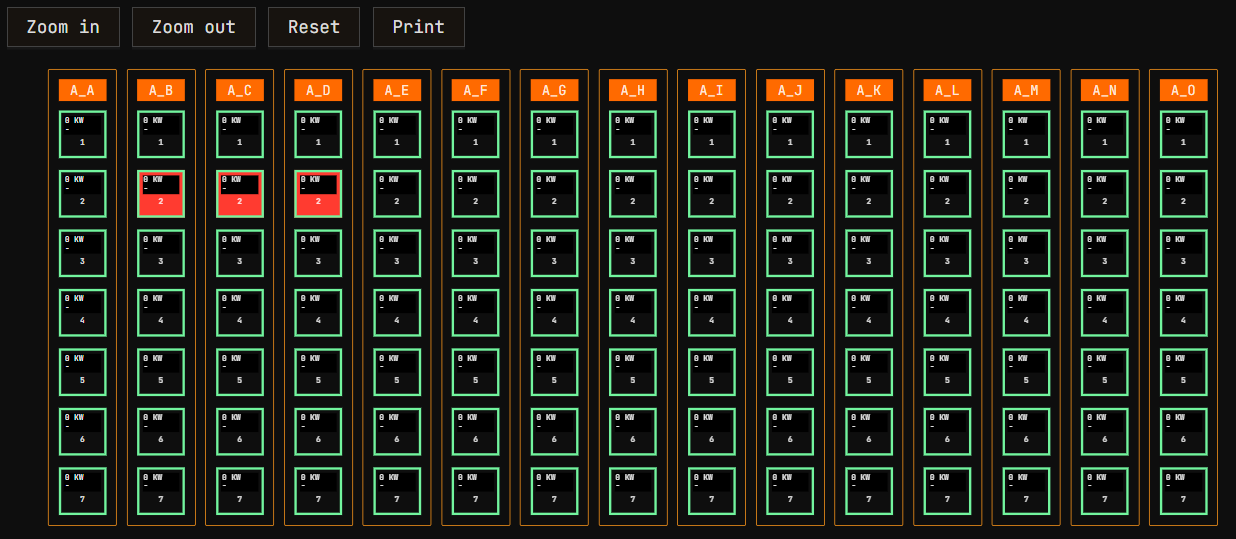 Figure 2: Antspace PDU Layout showing miner positions and status indicators
The PDU Layout provides a visual representation of miner positions within the container. For comparison with other container types, see Container Example: Bitdeer — PDU Layout.
Miners are distributed according to PDU, not network switch. This is consistent across all container types in MiningOS.
PDU Layout Commands
| Command | Action |
|---|---|
| Drag select | Select multiple miners with mouse |
| Click on Rack bar | Select all miners in rack (Ctrl+Click to deselect) |
| Shift+Click | Select multiple individual miners |
| Ctrl+Scroll Up/Down | Zoom In/Out |
| Scroll Up/Down | Move Up/Down PDU Layout view |
PDU Layout Elements
| Element | Description |
|---|---|
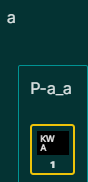 | Antspace does not have remote PDU controls. MiningOS displays PDU positions for reference only. |
 | Selected miner showing information in the right sidebar. Power (kW) and Current (A) are displayed for each miner. |
Miner Status Color Coding
| Color | Status | Description |
|---|---|---|
| Green | Online | Actively mining |
| Gray | Offline | Not responding |
| Orange | Maintenance | Under maintenance |
| Red | Error | Experiencing errors |
For detailed status definitions and filtering options, see Explorer — Miner Information Fields.
Settings
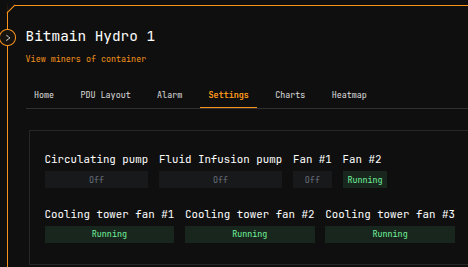 Figure 3: Antspace Settings panel showing cooling system status indicators
The Settings section displays the current state of the cooling system components. All buttons in this section are read-only and indicate operational status rather than providing control functions.
Unlike Bitdeer containers, Antspace containers do not support remote cooling system control through MiningOS. Physical access is required to modify cooling settings.
Alarm
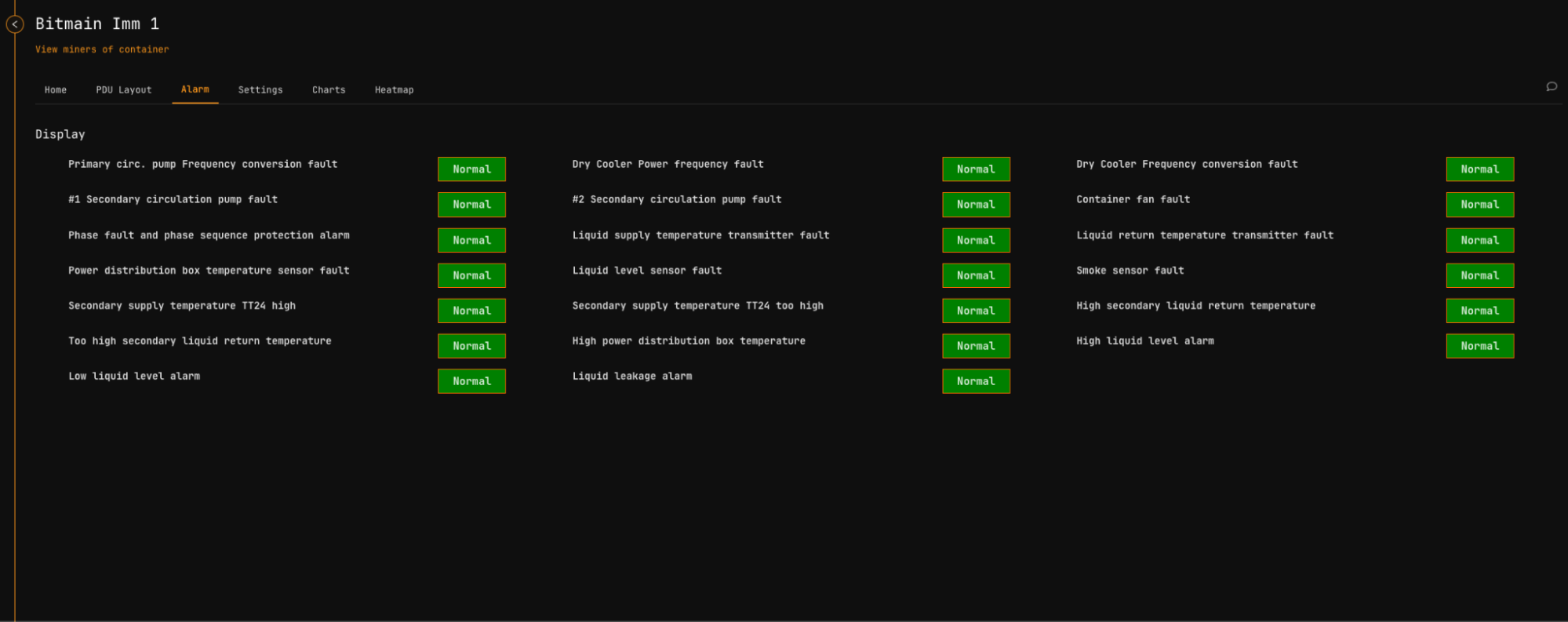 Figure 4: Antspace Alarm panel showing active alarms and historical log
The Alarm section provides tools for managing container-specific alerts and reviewing alarm history.
Alarm Actions
| Action | Icon | Description |
|---|---|---|
| Silencing |  | Stops the alarm from displaying but the underlying condition still exists |
| Reset |  | Cancels the alarm completely. It will not reappear unless the cause persists or recurs |
| Log |  | View historical alarm records. Unlike the Active Incidents card, logs persist after issues are resolved |
For comprehensive alert management across all device types, see the Alerts Manual. For site-wide alert monitoring, keep the Alerts Overview Page open in a dedicated browser tab.
Common Antspace Alerts
| Alert Category | Typical Causes | Severity |
|---|---|---|
| Pressure alerts | Low coolant, pump failure, blockage | Critical/High |
| Temperature alerts | Cooling system failure, ambient conditions | High/Medium |
| Flow alerts | Pump degradation, valve issues | High |
For the complete list of Antspace-specific alerts, see Alerts Manual — Bitmain Hydro Widget.
Statistics Update Timing
Miner statistics take longer to update (potentially several minutes) compared to other areas of the UI. This delay is normal for Antspace containers.
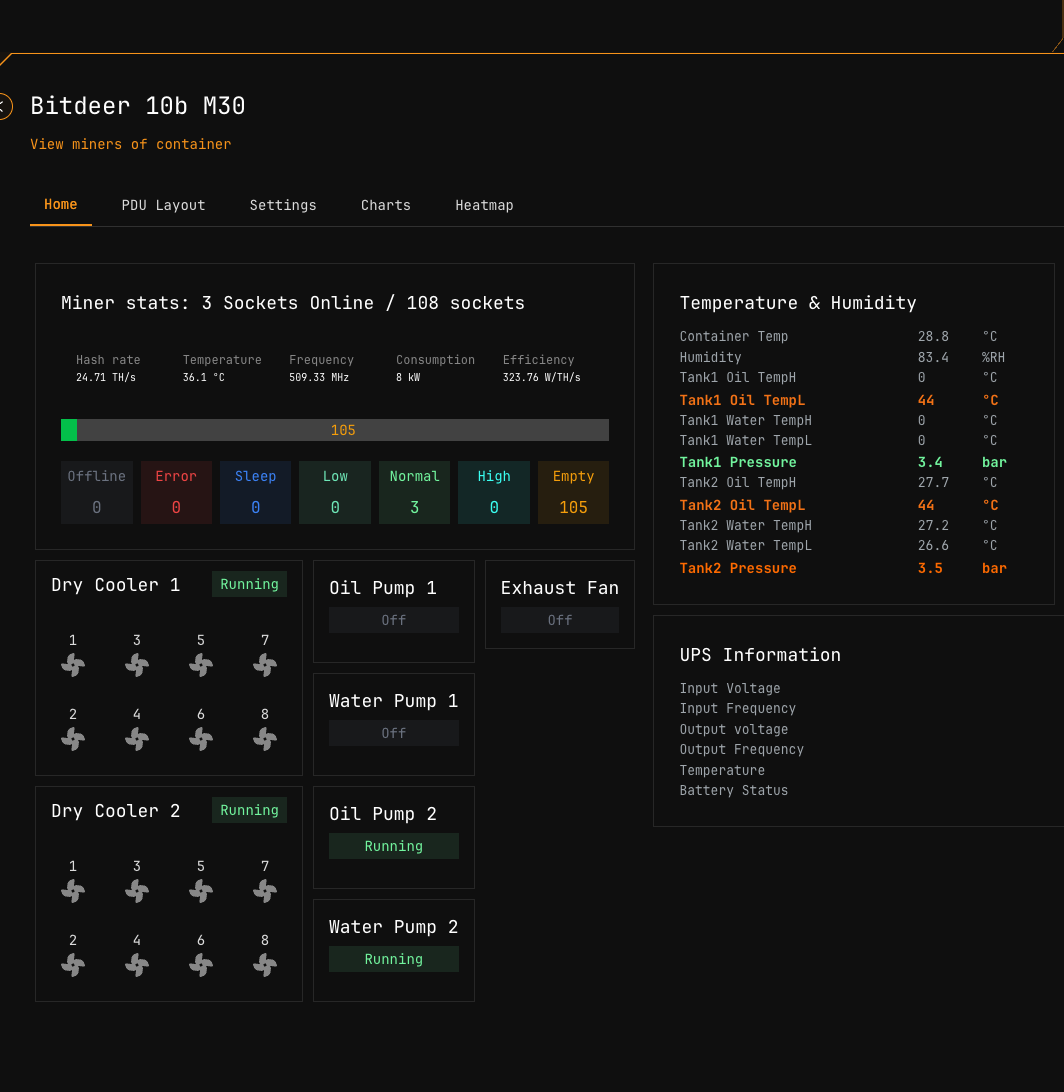 Figure 5: Statistics panel showing miner data with update delay indicator
For real-time fleet metrics, monitor the Header indicators. For detailed miner statistics, use the Explorer with appropriate refresh expectations.
Operational Considerations
Coolant Management
- Monitor return pressure continuously—values below 0.05 MPa require immediate liquid replenishment
- Review pressure and temperature curves regularly to identify trends before they become failures
- Document all liquid replenishment events in the Comments system for maintenance tracking
Comparison with Other Container Types
| Feature | Antspace Hydro | Bitdeer |
|---|---|---|
| Remote PDU control | No | Yes |
| Remote cooling control | No | Yes |
| Alarm management | Yes | Yes |
| Temperature monitoring | Yes | Yes |
For complete specifications of both container types, see Supported Devices — Containers.
Adding and Managing Miners
For procedures on registering, moving, or maintaining miners within Antspace containers, see O&M: Adding & Updating Miners.
Quick Navigation
| Section | Description |
|---|---|
| Home | Cooling system monitoring and pressure curves |
| PDU Layout | Visual miner positioning and selection |
| Settings | Cooling system status (read-only) |
| Alarm | Alert management and historical logs |
Related Documentation
Operator Manual
- Container Example: Bitdeer — Bitdeer container operations with remote control capabilities
- Heatmaps — Temperature visualization across miner positions
- Alerts Manual — Complete alert reference and severity definitions
- Explorer — Device search, filtering, and detailed status information
- Widgets Page — Container overview and quick status monitoring
- O&M: Adding & Updating Miners — Miner registration and maintenance procedures
Architecture & Technical Reference
- Architecture Guide — Technical implementation details and worker hierarchy
- Supported Devices — Bitmain Antspace — Supported Antspace models and specifications
- Installation Guide — Antspace container worker setup