

Comments
Attach notes, observations, and maintenance records to individual devices in MiningOS.
The Comments feature in MiningOS enables operators and technicians to attach notes, observations, and maintenance records to individual devices. This functionality supports communication between site operators and repair lab technicians, ensuring critical information follows equipment throughout its lifecycle.
For user role permissions related to comments, see Settings. Field operators have read-only access with permission to add comments.
Individual Comments
Comments for individual devices (miners, containers, power meters, and temperature sensors --- see Supported Devices can be added from the following locations:
Explorer
Select any device type in the Explorer to access the comments panel.
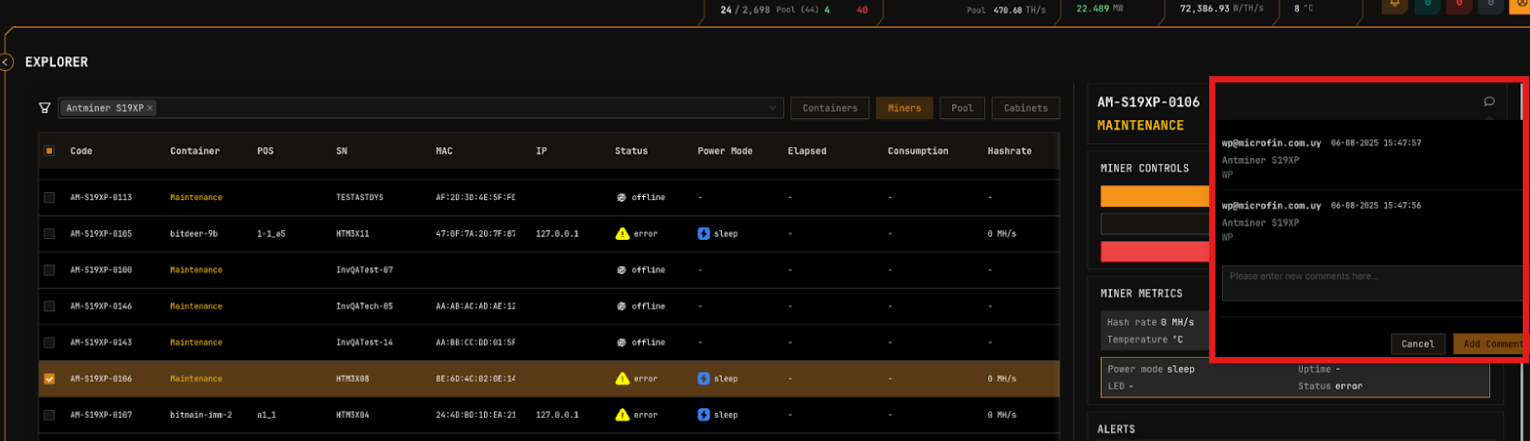
When a miner or device has an observation relevant to O&M operations—particularly those related to storage tracking or the repair lab—add the comment via MiningOS. For device registration and maintenance workflows, see O&M: Adding & Updating Miners.
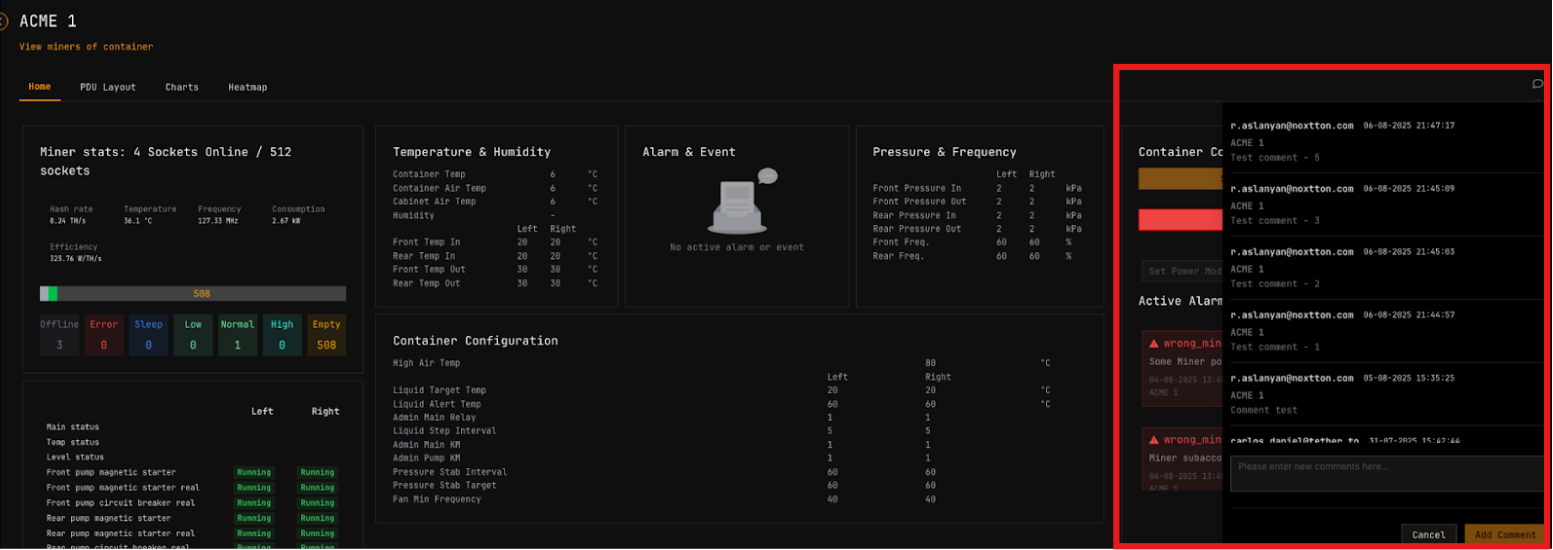
Container Page
Access comments for individual containers from any tab within the container view. For container-specific layouts and controls, see:
- Bitdeer Containers — Bitdeer Minerbase operations
- Antspace Hydro Containers — Bitmain Antspace operations
For supported container models and specifications, see Supported Devices — Containers.
PDU Layout Page
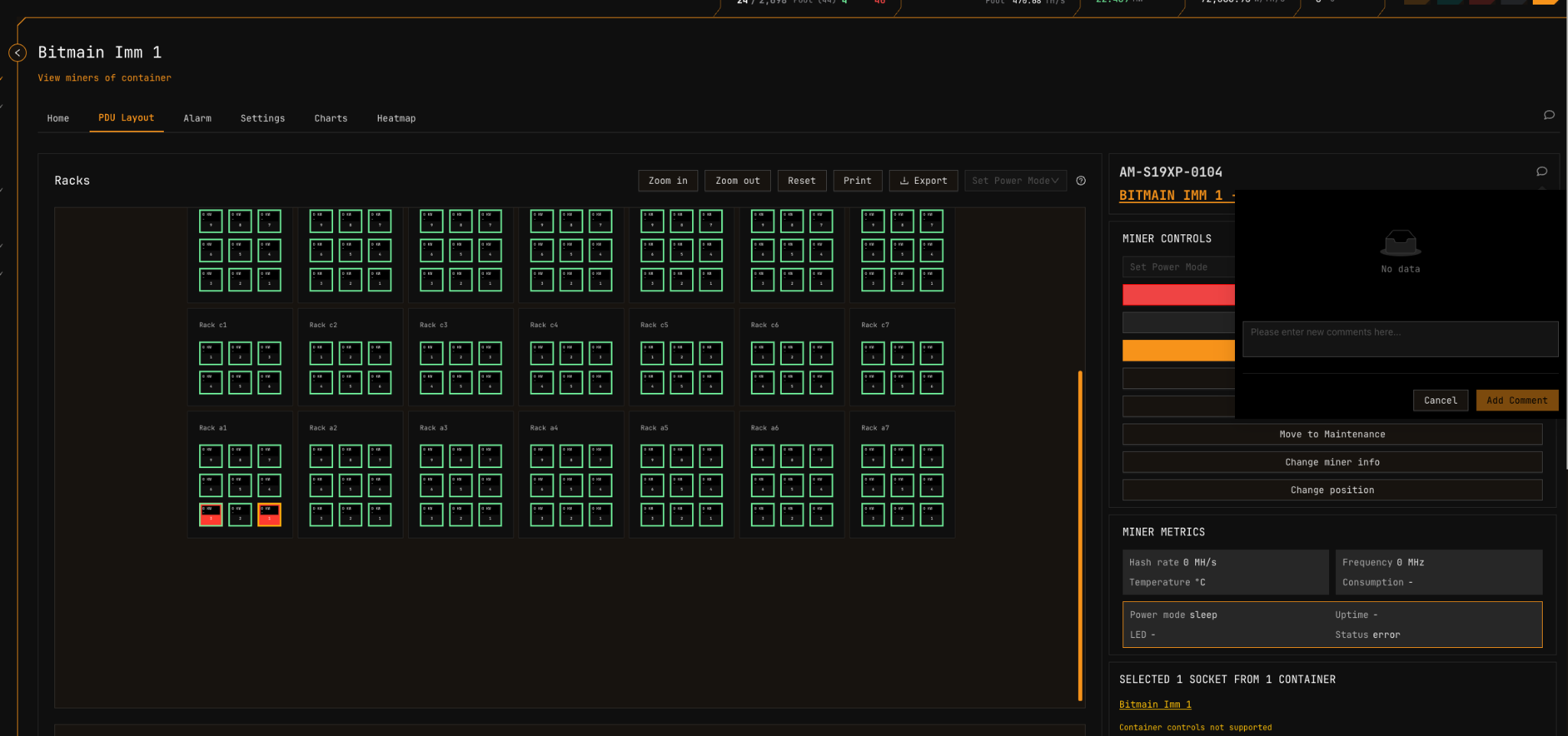
Add comments for selected miners directly from the PDU Layout view. This is useful for documenting position-specific observations during physical inspections.
LV Cabinet Page
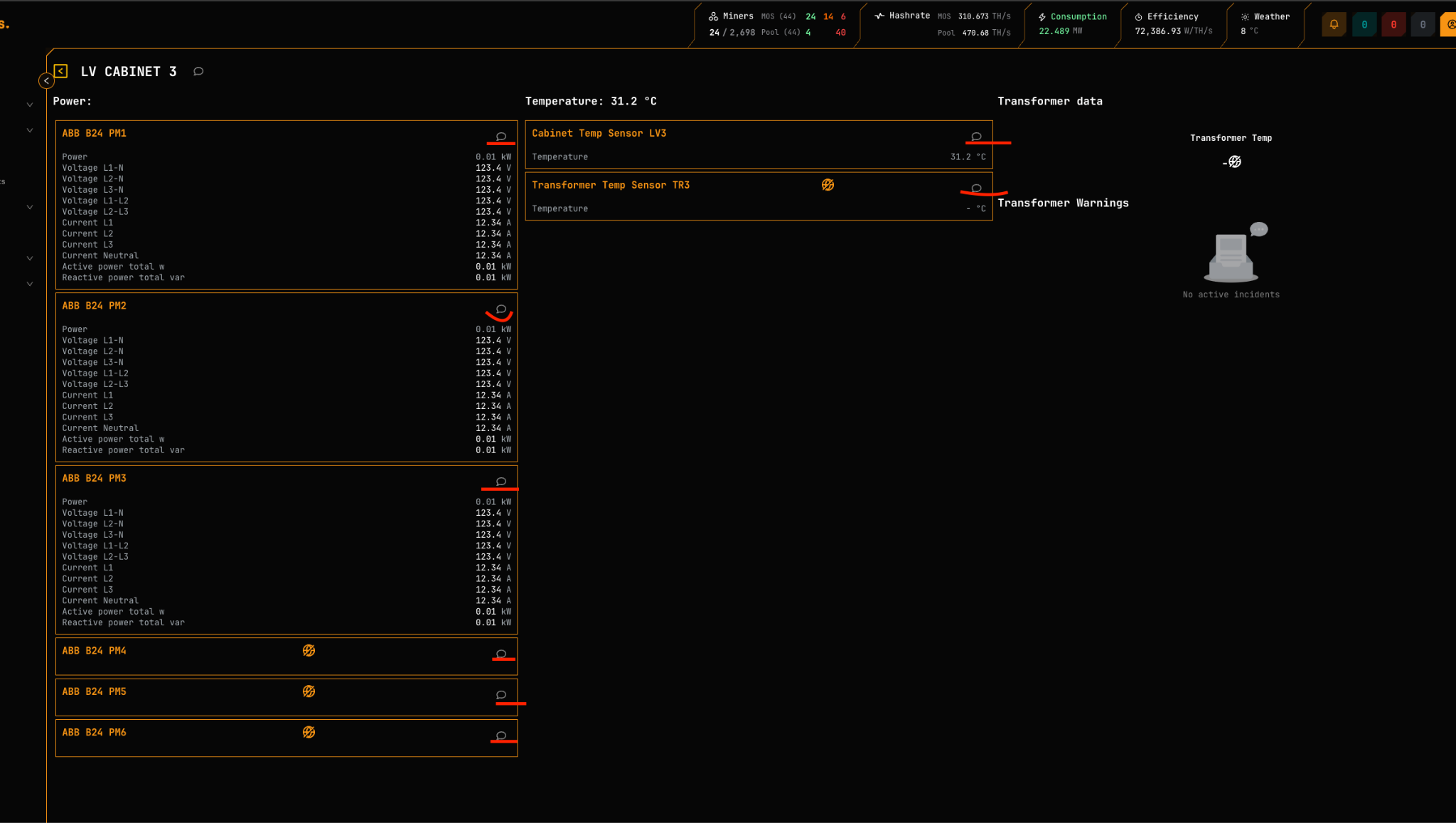
Comments can be added for specific power meters and temperature sensors within LV Cabinets. The main LV Cabinet icon displays an aggregate count for all associated device comments.
For supported power meter and sensor models, see:
Comments Overview Page
The Comments Overview page provides a centralized view of all device comments across the site. This page supports searching, filtering, and sorting by device type, date, or content.
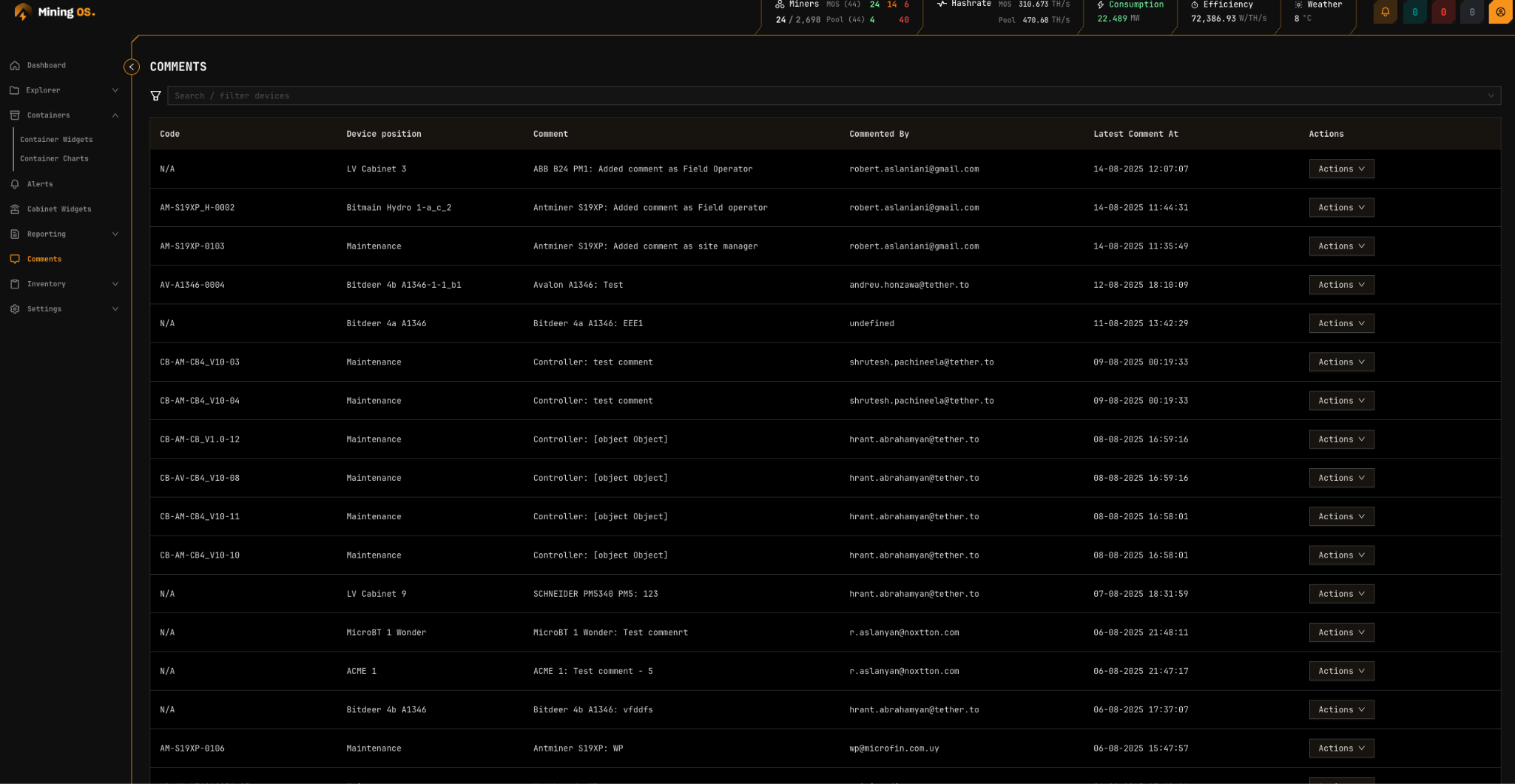
Actions Menu
The Actions dropdown provides the following operations:
| Action | Description |
|---|---|
| History | View complete comment history for the selected device |
| Go to Device | Navigate to the device page in Explorer |
| Add Comment | Attach a new comment to the device |
Repair Lab Access
The Comments Overview page is the primary UI accessible by repair lab technicians. Technicians use this interface to communicate device-specific technical details to site operators, including diagnostics, part replacements, and firmware updates.
For inventory tracking of parts and components, see the Inventory Module. For repair history records, see Repair History.
Comments are stored persistently and associated with device records. When a device is removed from MiningOS, its comment history is also removed. See Remove Miner Permanently for implications.
Comment Best Practices
| Use Case | Recommendation |
|---|---|
| Repair notes | Document symptoms, diagnostic findings, and parts replaced |
| Position changes | Note reason for relocation (e.g., thermal issues, maintenance) |
| Firmware updates | Record version changes and any observed behavior changes |
| Alert follow-up | Document investigation and resolution of alerts |
For operational guidelines on documentation practices, see Operational Best Practices.
Related Documentation
Operator Manual
- Explorer — Device search and filtering
- O&M: Adding & Updating Miners — Maintenance workflows
- Alerts Manual — Alert types and troubleshooting
- Settings — User roles and comment permissions
- Operational Best Practices — Documentation guidelines
Inventory Module
- Inventory Overview — Parts and equipment tracking
- Repair History — Maintenance records
- Historical Device Movements — Location change audit trail
Architecture & Reference
- Architecture — System design and data persistence
- Supported Devices — Compatible hardware reference
External Resources
- Bitmain Support — Antminer documentation
- MicroBT Official — Whatsminer resources
- Canaan Official — Avalon documentation